About Connected Service

Installing the MyMazda APP

Operation Environment of the Application

Compatible OS OS Version
Android 10.0 or later
iOS 15.5 or later

Installation and Launch of the Application

Install the application according to the type of mobile device you are using from the download site such as Google Play or the iTunes App Store.

iOS device user
Android device user

Launching the Application

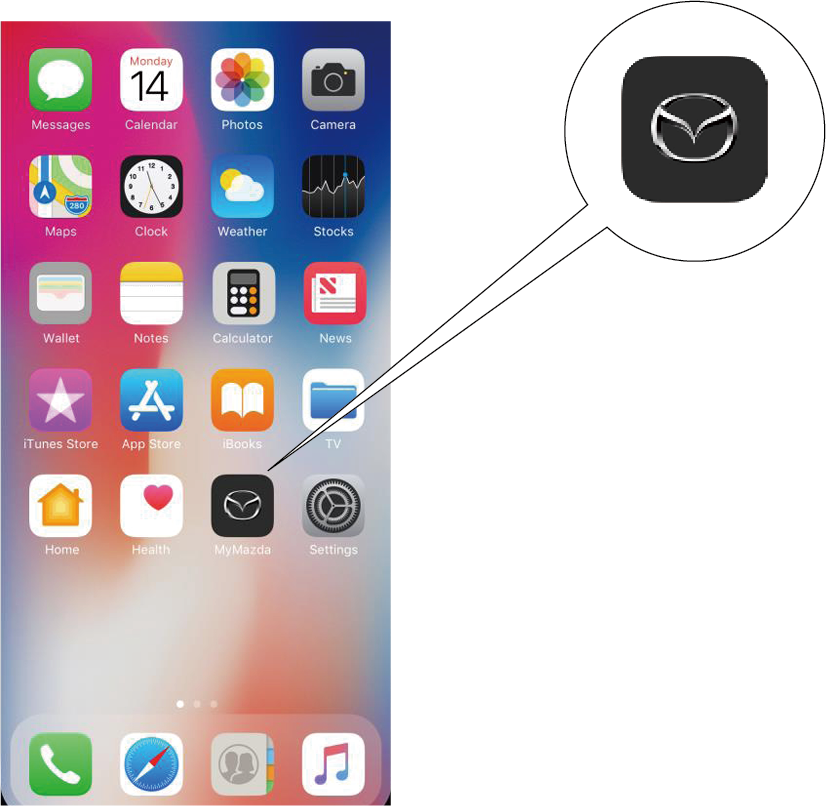
Launch the MyMazda APP by touching the icon.

* Google Play and the Google Play logo are registered trademarks of Google LLC.
Apple, Apple Store, Apple logo, iPhone and Apple Watch are registered trademarkts of Apple Inc.

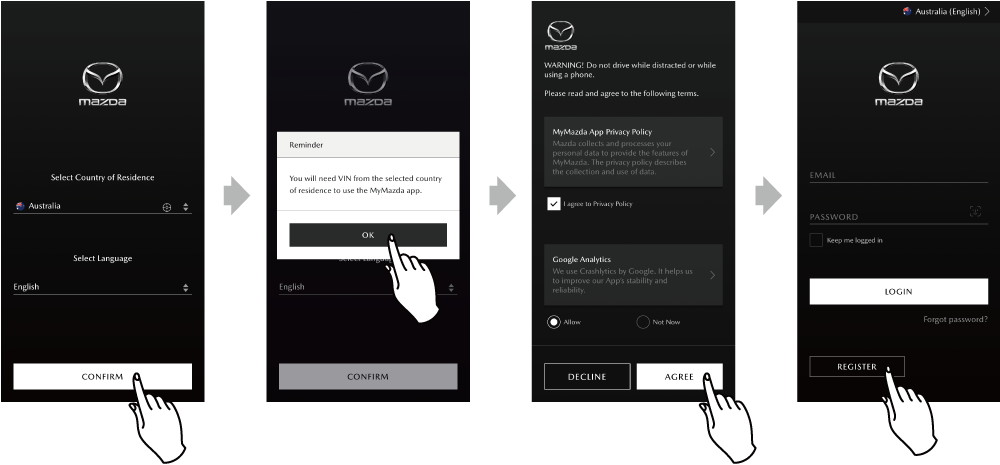
  • When first launching the MyMazda APP, selection of your country and language, and agreement to the Terms & Conditions and the Privacy Policy is required.

  • When first using the MyMazda APP, user registration is required. Touch REGISTER from the login screen.
    Registering Your User Information
  • The selected country can be changed other than during the initial application launch.
    Registering Your User Information/System Login
  • For the country selection, select the country where the vehicle is used. There are no language selections.
  • Do not select a country other than the Australia as your place of residence. (Connected Service will not be available)

Apple Watch

Some MyMazda APP services can be used with Apple Watch.

Apple Watch Services
Remote Control
Vehicle Monitor and Alert/Notification functioin
Find My Car
Send Directions to Car
MyMazda APP MAP

  • Android Devices are not compatible with this service.
  • When using it with Apple Watch, you need to log in to the MyMazda APP on your iPhone.
  • The following services are available even for vehicles that do not have Connected Services.
    Display of the registered preferred dealer and dealer search.