About Connected Service

Registering Connected Service

Do the procedure to start using Connected Service.

  • Because you need to check the centre display, park the vehicle in a safe location and do the registration to Connected Service near the vehicle while carrying the key.
  • When the vehicle connection is completed, a push notification is sent to the device. Turn on the push notification setting for the device.
  • To start using Connected Service, follow the instructions below.
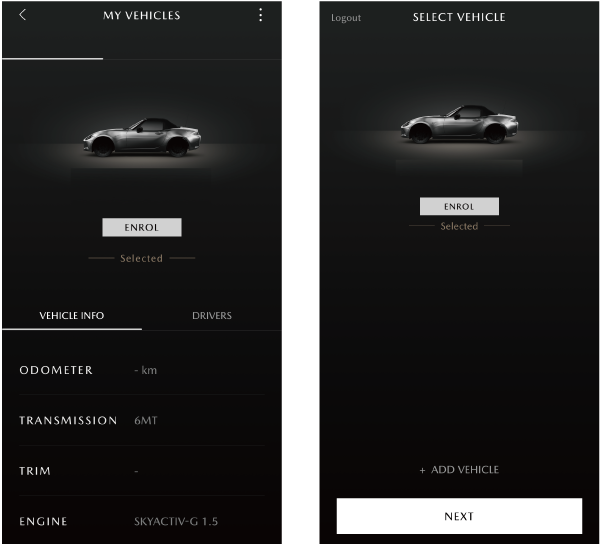
    - After registering the vehicle information, touch [ENROL].
    - From the menu screen: [MY MAZDA] ⇒[My Vehicle] ⇒ [ENROL] .
    - [SWITCH VEHICLE] at bottom left of menu ⇒ [ENROL] .

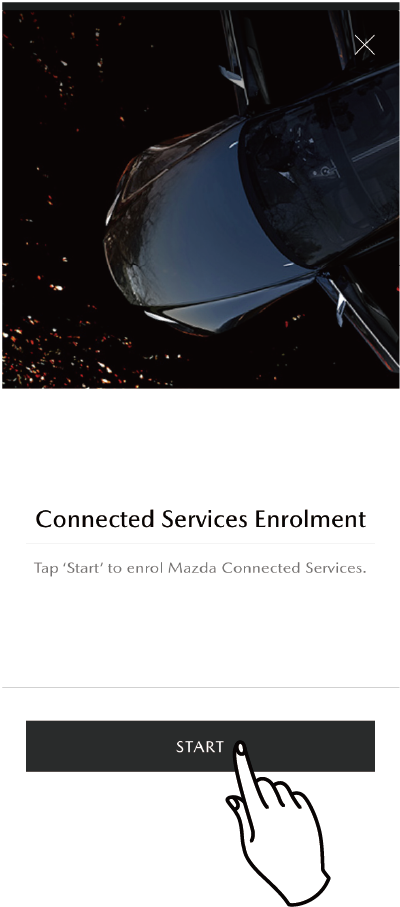
    Touch START to start registration to the service.

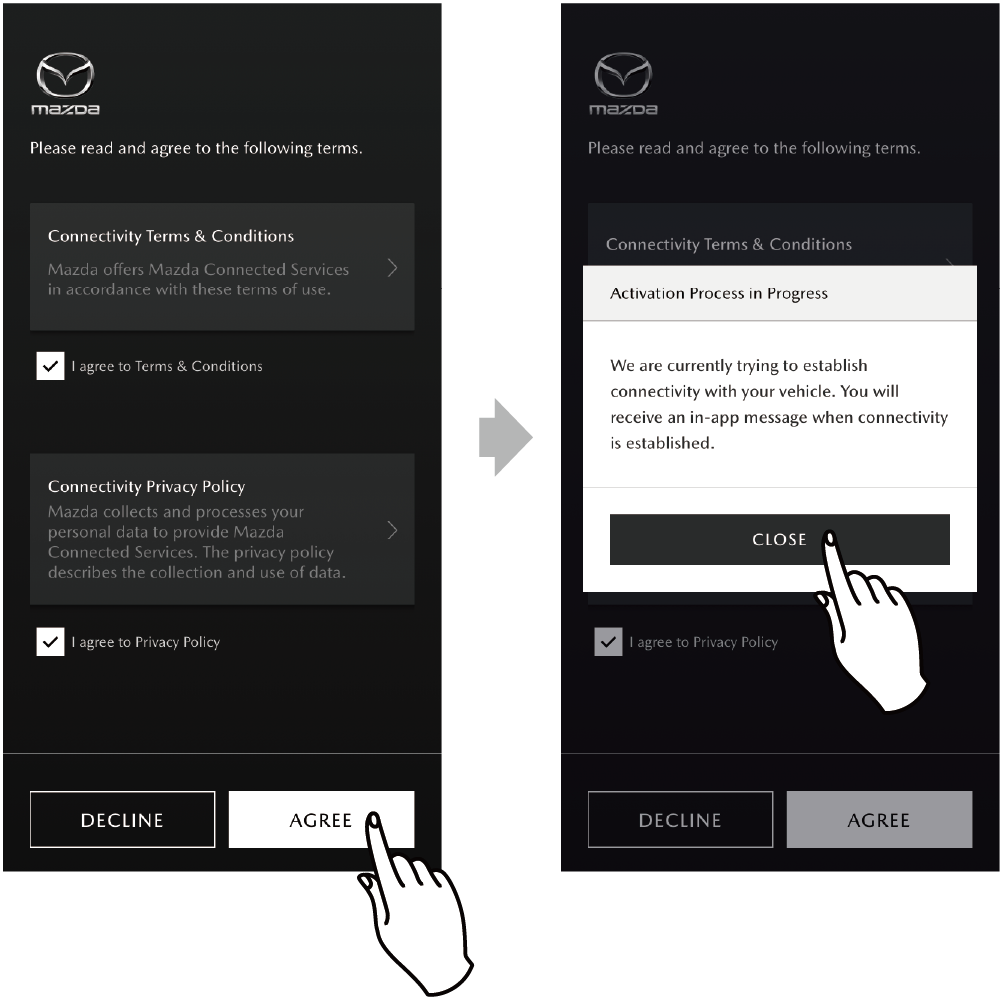
    The screen for agreeing to the Terms and Conditions, and the Privacy Policy is displayed. Be sure to read before agreeing.

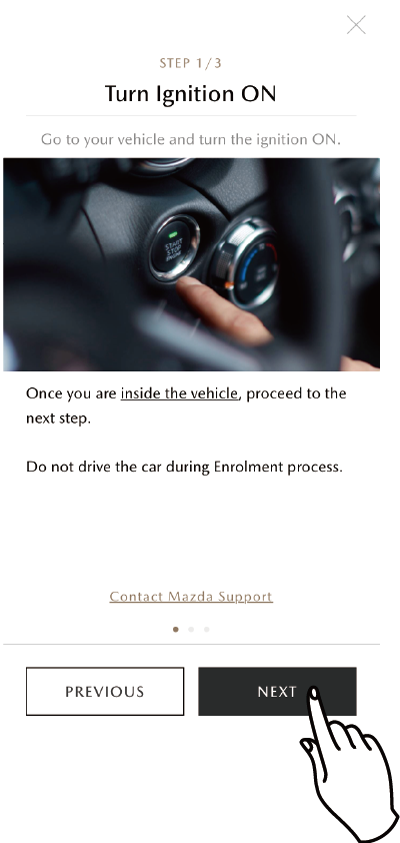
    Get in your vehicle and switch the ignition switch ON, and then touchNEXT.

      When the vehicle connection is completed, a push notification is sent to the device. Turn on the push notification setting for the device.

    Link the vehicle to the device using the Authorization Code.
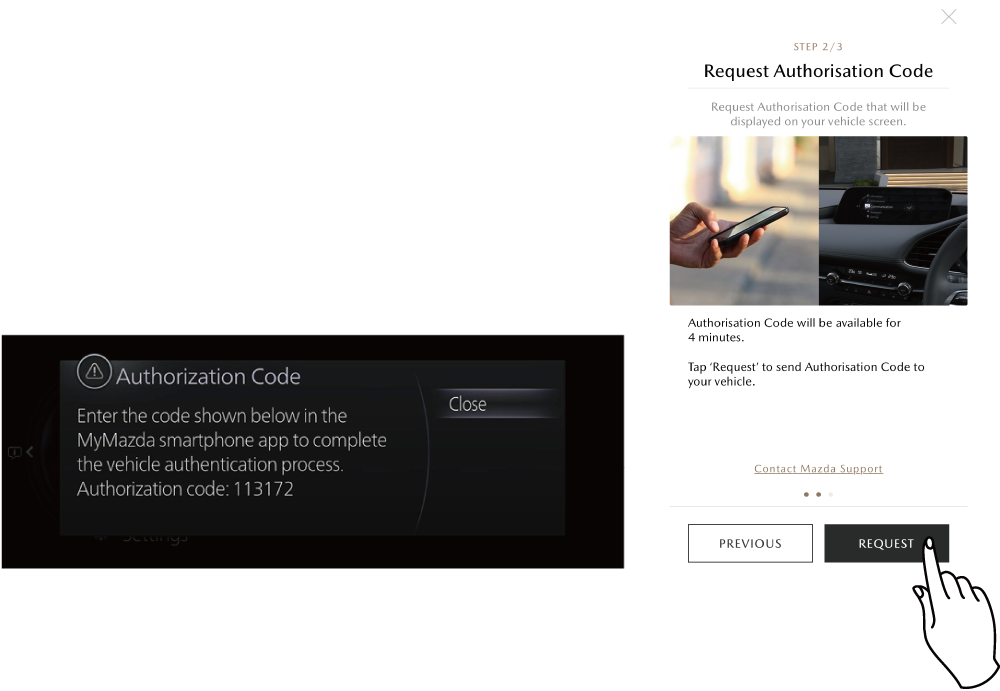
    Touch REQUEST to display the 6-digit Authorization Code on the centre display of the vehicle.

    • It may require some time for the Authorization Code to be displayed on the centre display.
    • If the Authorization Code is not displayed, verify that the vehicle is parked in a location with good radio wave reception.
    • The effective period of use of the Authorization Code is 4 minutes from being issued.
    • An Authorization Code with an expired period of use cannot be used. Touch REQUEST again.
    • When you select close, the screen closes and the Authorization Code is not displayed again. Please wait without operating the centre display until the Authorization Code is displayed.
    • If the vehicle's data communication function was disabled in Temporary Deactivation, this Authorization Code is not delivered. Always enable it.
      Temporary Deactivation

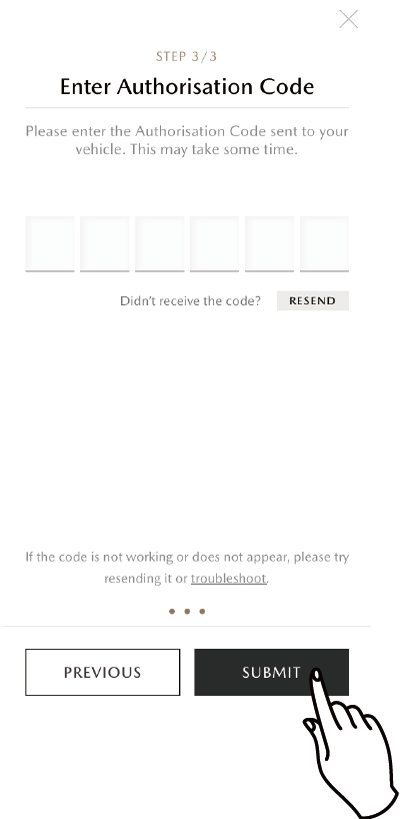
    Enter the Authorization Code displayed on the centre display into your device and touch SUBMIT.

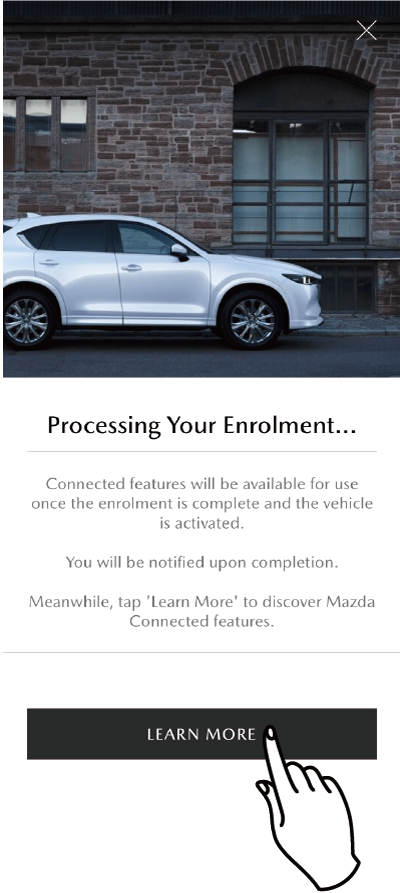
    The Connected Service contract is being processed.

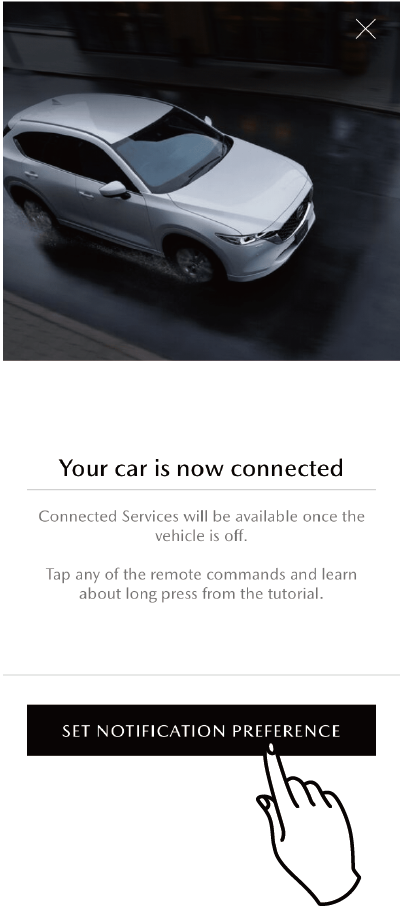
    You are notified when the Connected Service contract is completed.

  • Notifications will arrive when the push notification setting on your mobile phone is turned on.
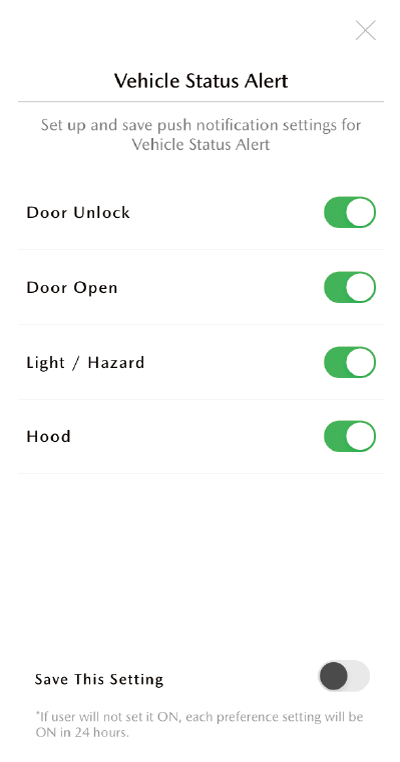
  • You can individually set whether you want to receive Vehicle Status Alert notifications. You can continue to be notified of the set items by saving your settings. If you do not save the settings, all settings will be turned on in 24 hours after setting them.