Connected Service

Roadside Assistance

If a malfunction occurs with the vehicle, notifications of the malfunction conditions are as follows:

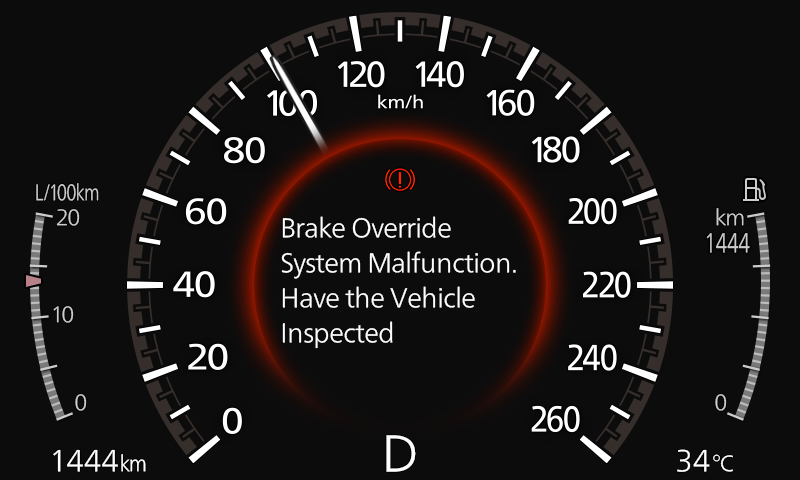
Notification on instrument cluster.

Example of a notification in the instrument cluster

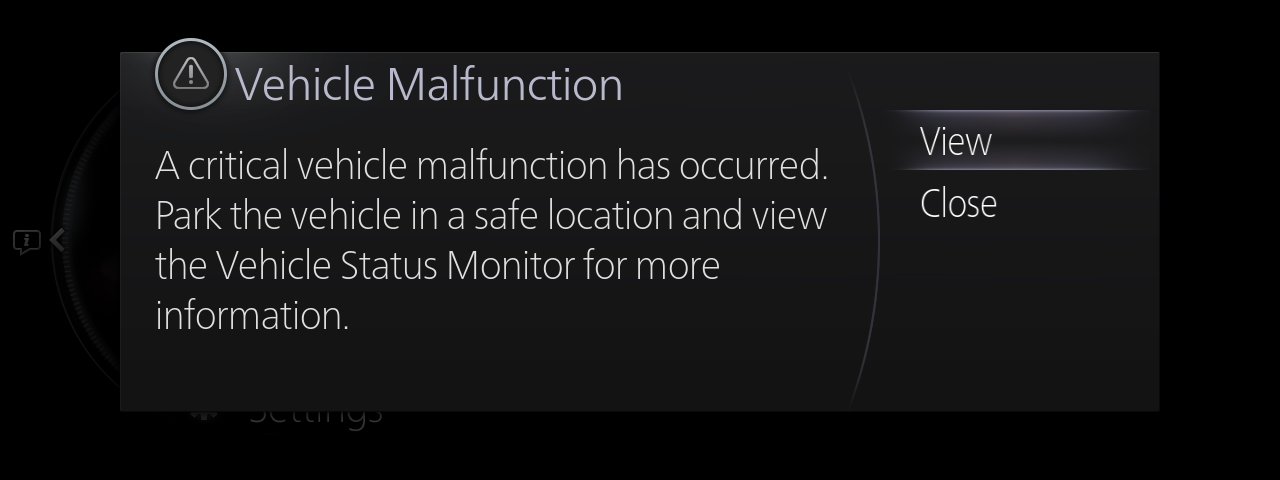
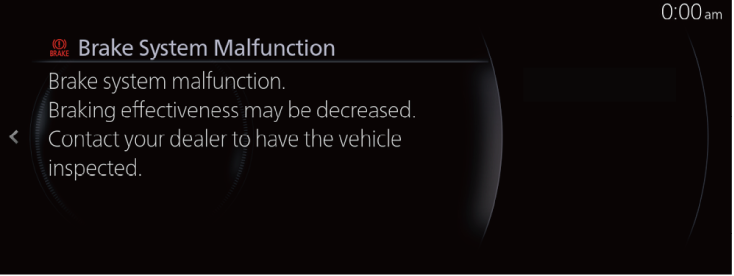
Notification details on centre display.

Example of a notification on the centre display

  • A notice of a significant malfunction.
  • Information display on the Vehicle Status Monitor
  • Depending on the type of malfunction that occurred, there are differences in the types of notices.
  • For details about the indications in the instrument cluster and in the centre display, refer to the owner’s manual of the vehicle and the Mazda Connect Owner’s Manual.
  • You can contact Roadside Assistance from the MyMazda APP.

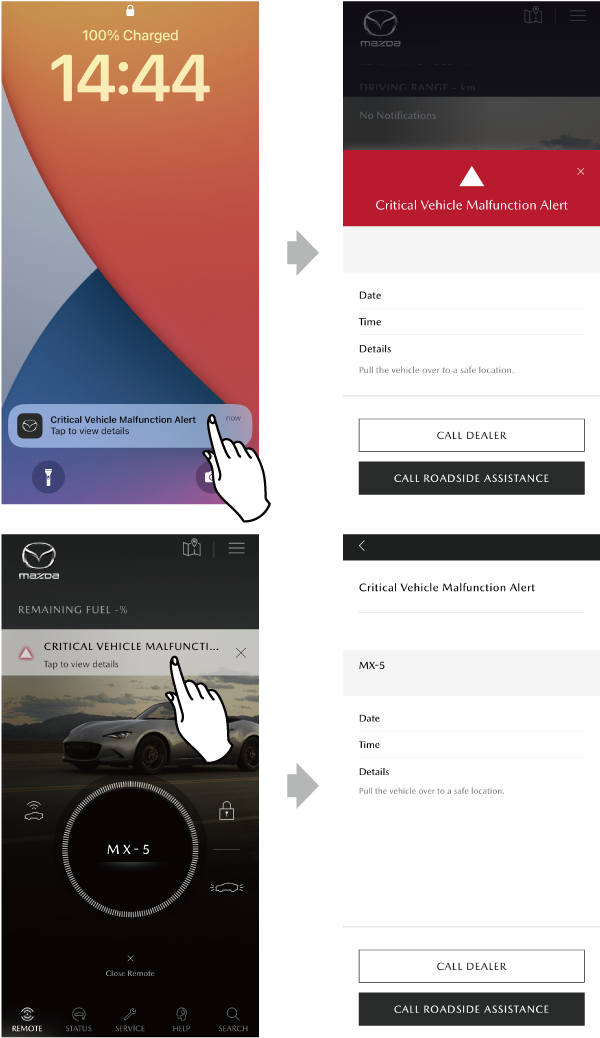
If a malfunction occurs in the vehicle, the MyMazda APP will also be linked with the malfunction information through the system.
If the vehicle cannot be driven due to a certain malfunction, the device receives information about the malfunction and a notice will be displayed without having to launch the MyMazda APP. Touching the notice on the display shows the details of the malfunction.

On the malfunction alert screen, roadside assistance or a dealer can be contacted. Past notices can be checked from the Inbox.
Menus of the MyMazda APP/INBOX

[In Case of a Serious Malfunction]

  • Touch REQUEST ROADSIDE ASSISTANCE to make a call to roadside assistance.
  • By touching CALL DEALER the driver can call a dealer.

[In Case of a Non-Serious Malfunction]

  • Touch CALL DEALER to make a call to your preferred dealer.
  • When you touch SCHEDULE SERVICE, a service-in reservation screen to the dealer is displayed.