Using Connected Service

Temporary Deactivation

This mode disables the onboard communication unit temporarily to stop the vehicle’s data communication. Additionally, the disabled onboard communication unit can be enabled. Mazda Connect is used for making the setting.
For details on Mazda Connect, refer to the Mazda Connect user’s manual.

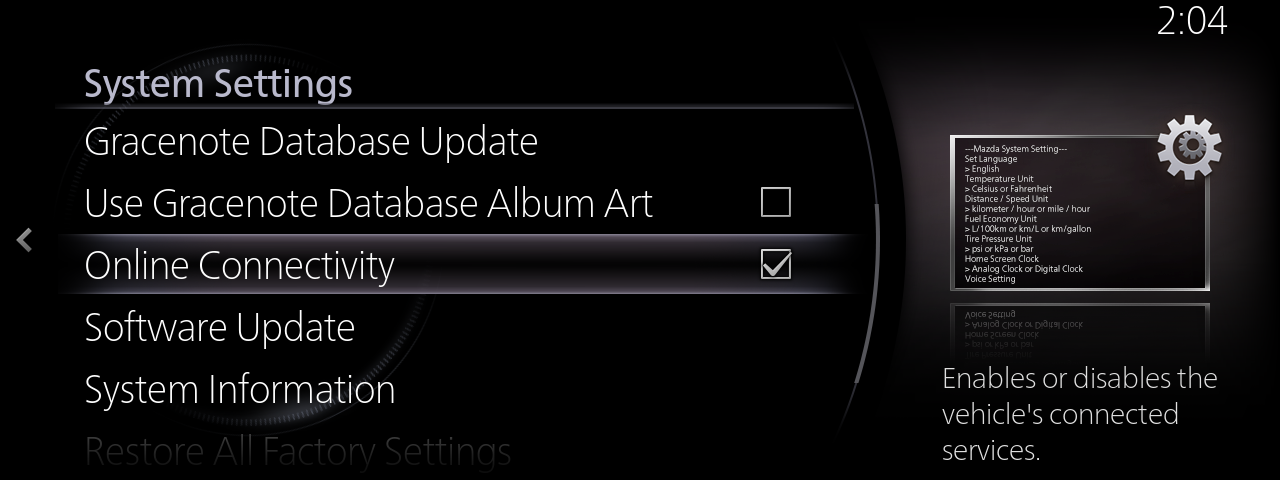
Select [Settings] from the Mazda Connect menu, and then select [System Settings].

Select [Online Connectivity].

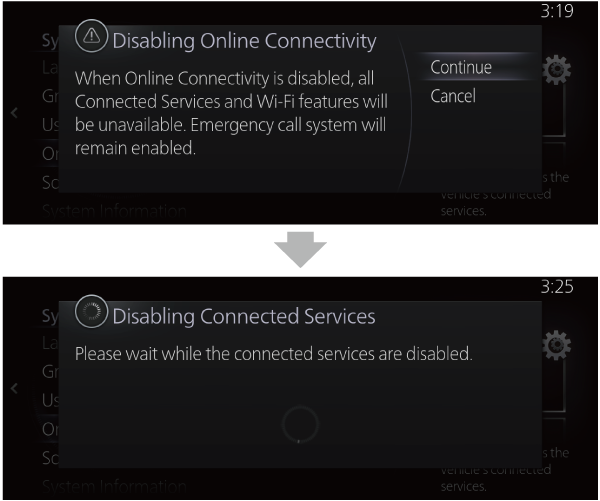
Select [Continue].

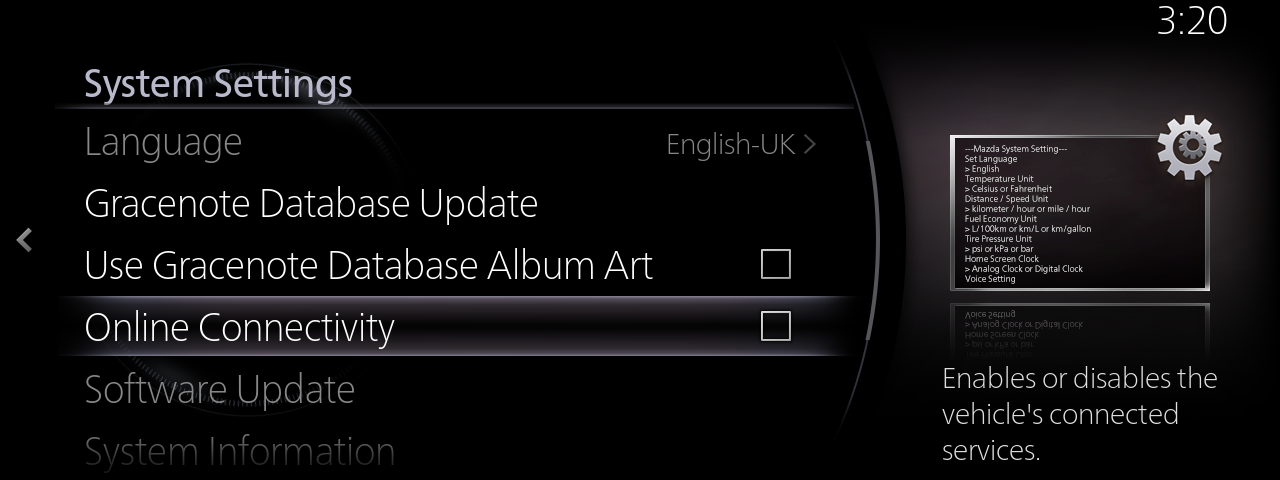
After a few moments, a screen is displayed indicating [Online Connectivity] as unchecked and then the setting is completed.

Even if data communication has been stopped, Private eCall and Stolen Vehicle Assistance will operate.

  • If there is no check mark next to [Online Connectivity] on the screen in Step 2, the onboard communication unit is disabled.
    With the check box not selected, select [Online Connectivity] and then [Continue] to enable the data communication function of the onboard communication unit.
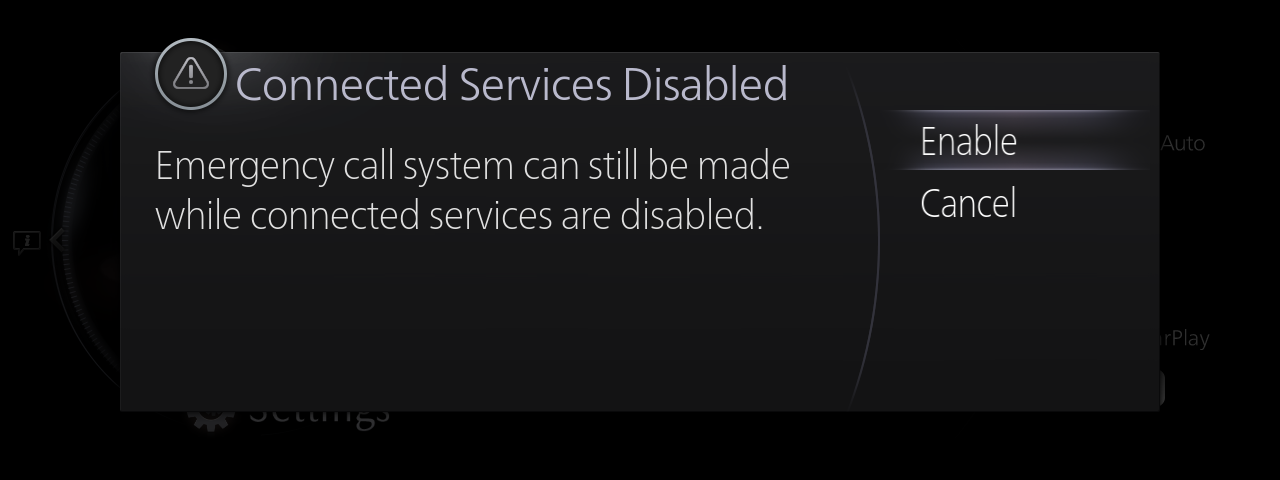
  • If the ignition switch is switched OFF while the onboard communication unit is disabled, a notification that the Connected Service is disabled will be displayed on the centre display the next time the ignition switch is switched ON.
    When [Enable] is selected, the onboard communication unit is enabled and data communication begins.
    If you want to continue disabling data communication, select [Cancel].
  • If the communication function is stopped, the following functions cannot be used:
     -Roadside Assistance
     -Remote Control
     -Vehicle Status
     -Find My Car
     -Send Directions to Car
     -Software Update